Access Control
EQON uses Entra to authenticate users. This means that all users and their access on online.eqon.com is handled by the customers active directory. There is no need to create new users in EQON, nor do we handle any passwords.
Role descriptions
| Role | Name | Description |
|---|---|---|
| Viewer | Viewer | Viewers have the ability to read device data, energy consumption and cost analytics. |
| Admin | Admin | Admin users have full access. |
Role assignments
The EQON enterprise application defines a set of roles which can be assigned to users or groups within your organization, depending on what capabilities you want your users to have.
- Sign in to the Azure Portal as an admin.
- Search for and select Microsoft Entra ID.
- Under Manage, select Enterprise applications and click on EQON Online.
- Under Manage, select Users and groups > Add user/group.
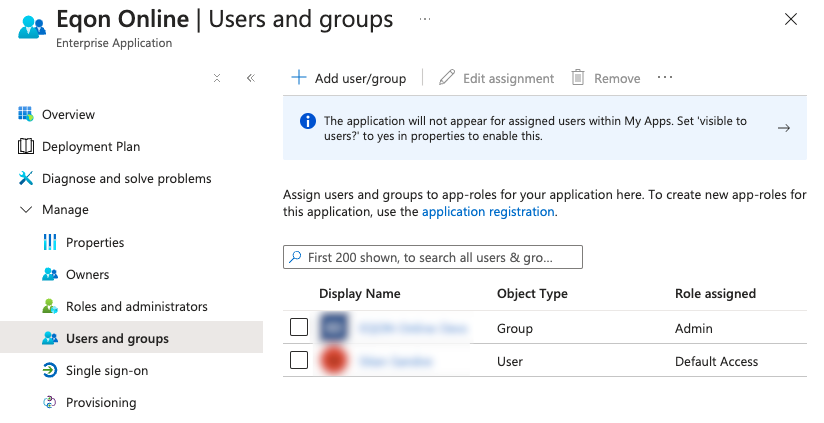
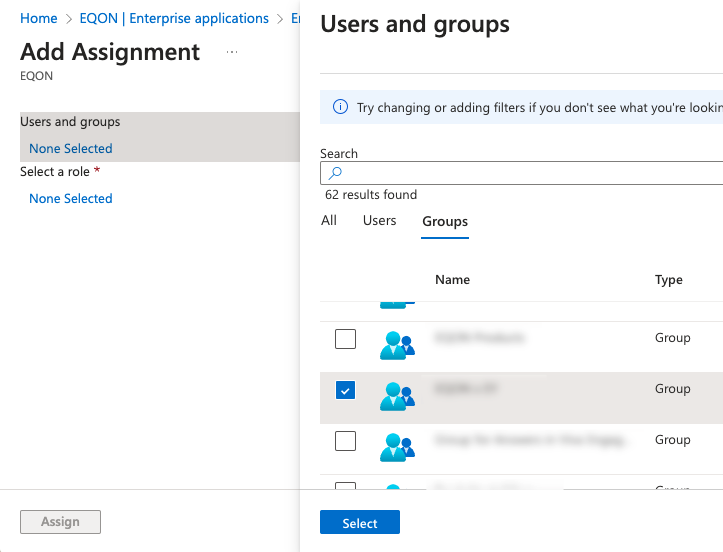
- Select the user(s) or group(s) you want to assign role(s) to
- Click on the role(s) you want to be assigned to the selected user(s) or group(s)
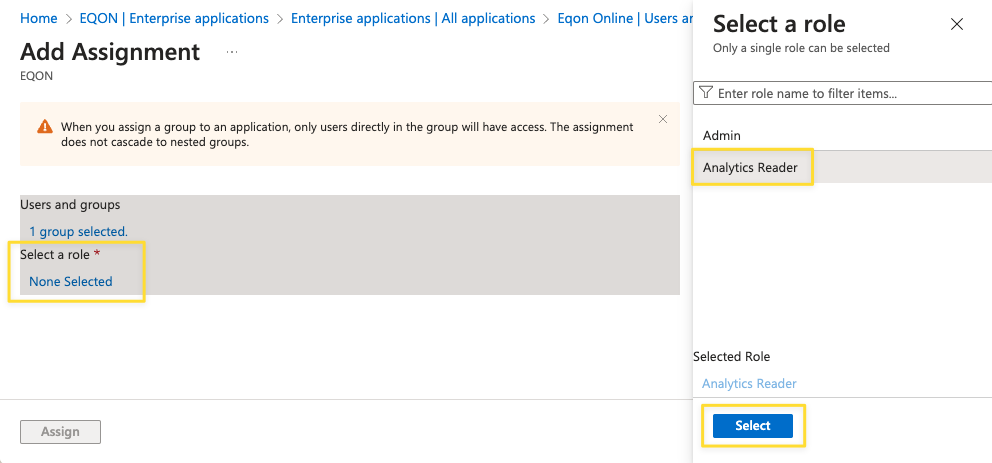
- Click Assign
The new roles should be effective within an hour or after the next login.